Eventzyner — Web Dashboard for Event Booking & Management.

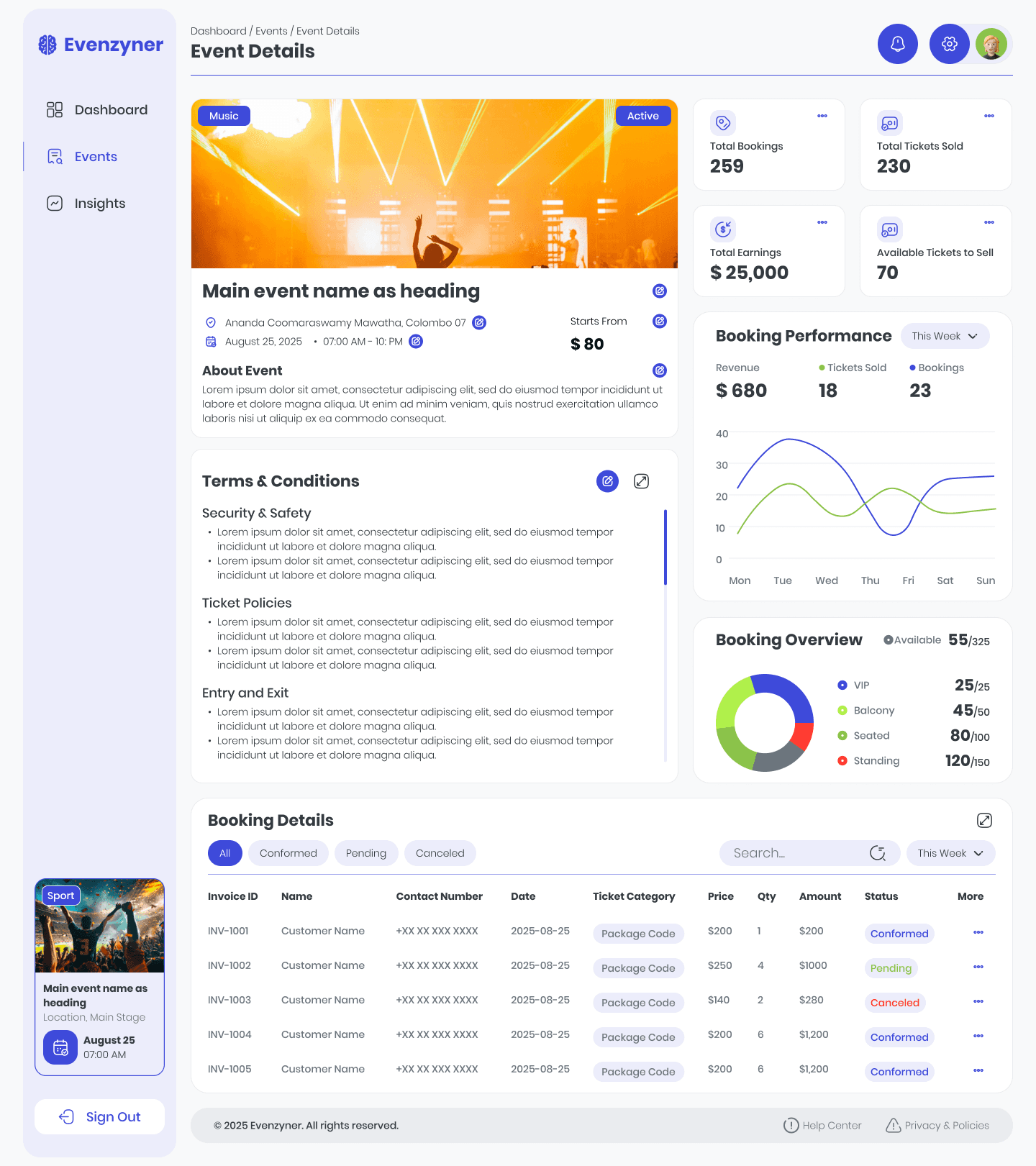
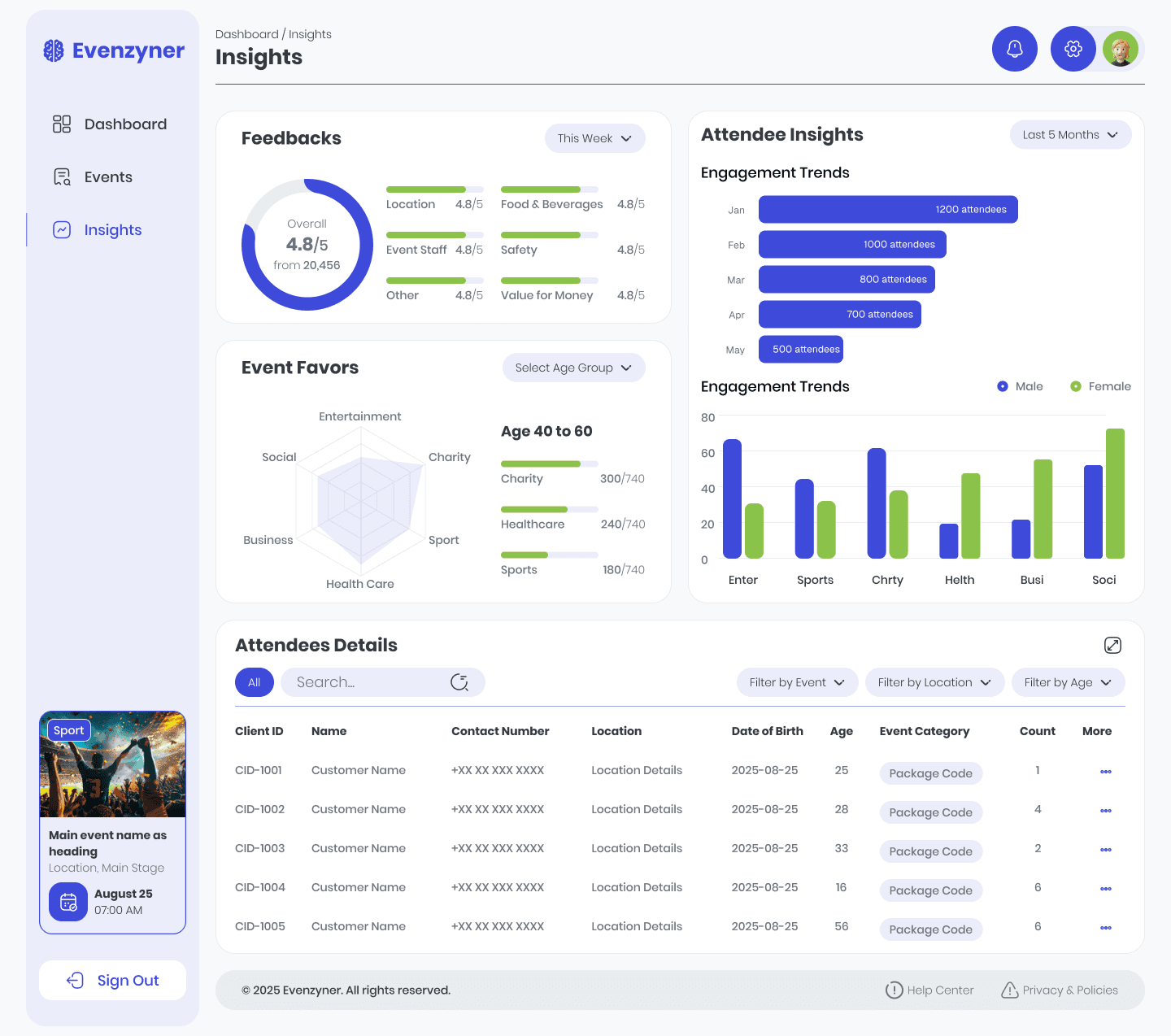
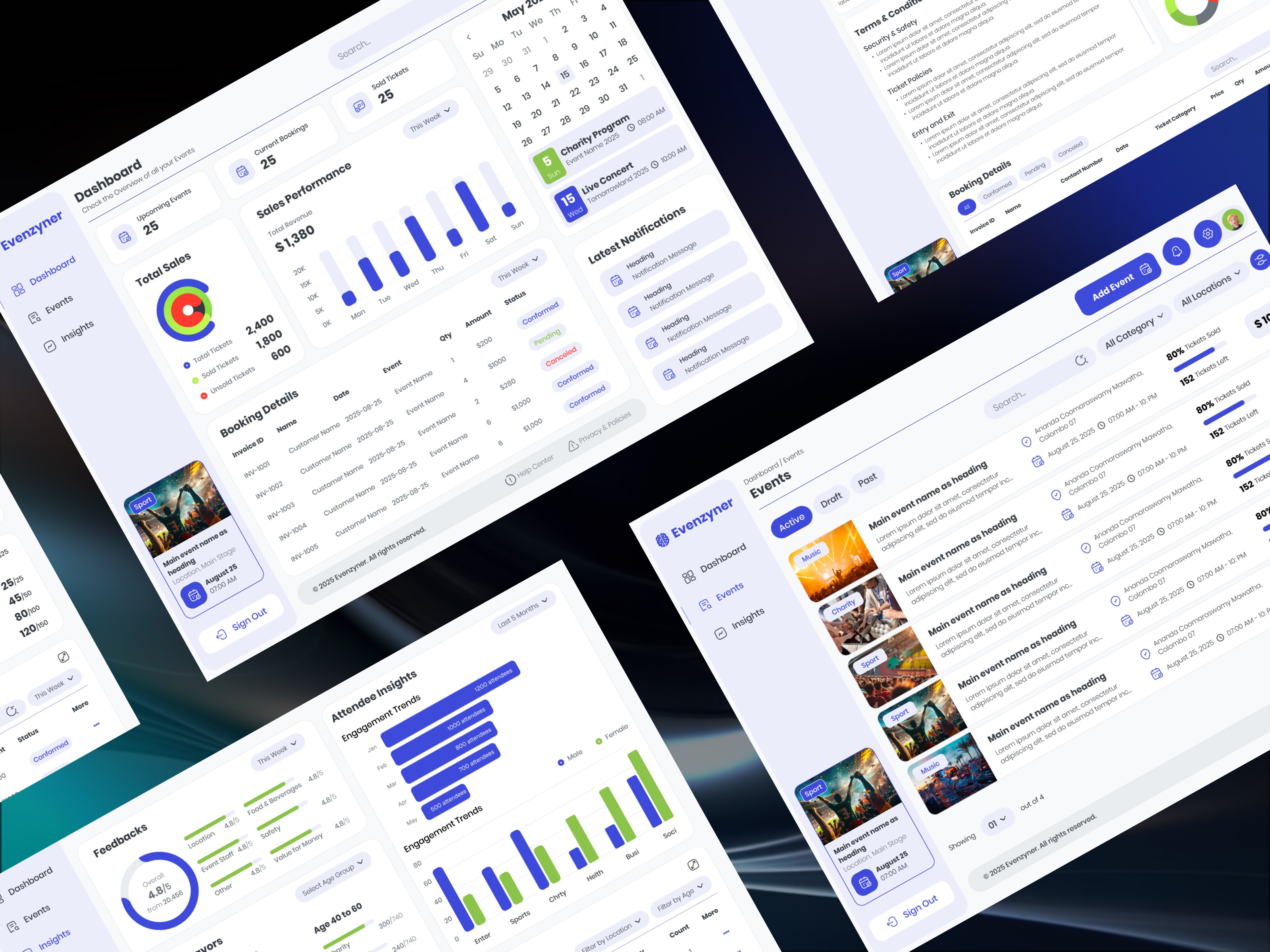
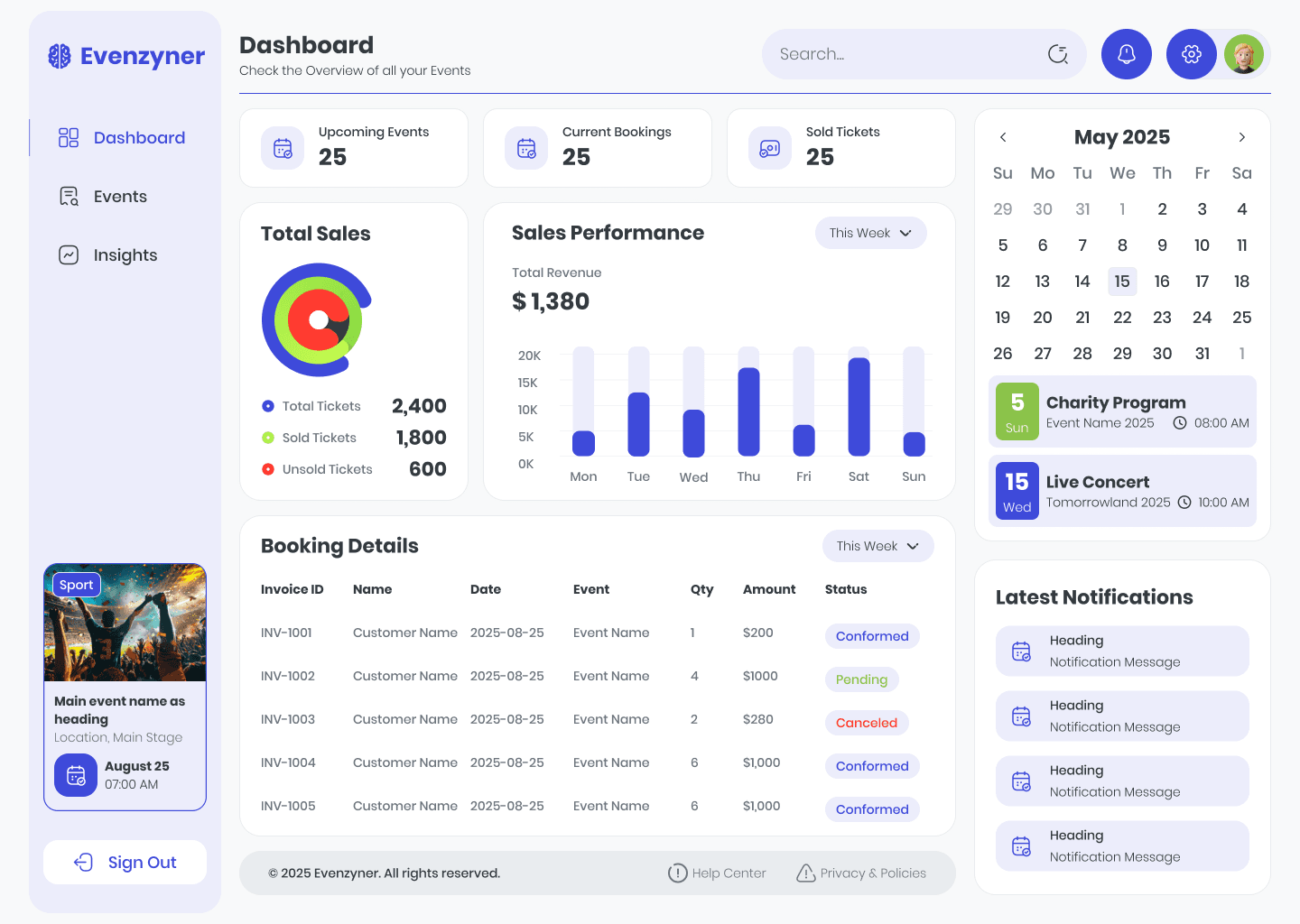
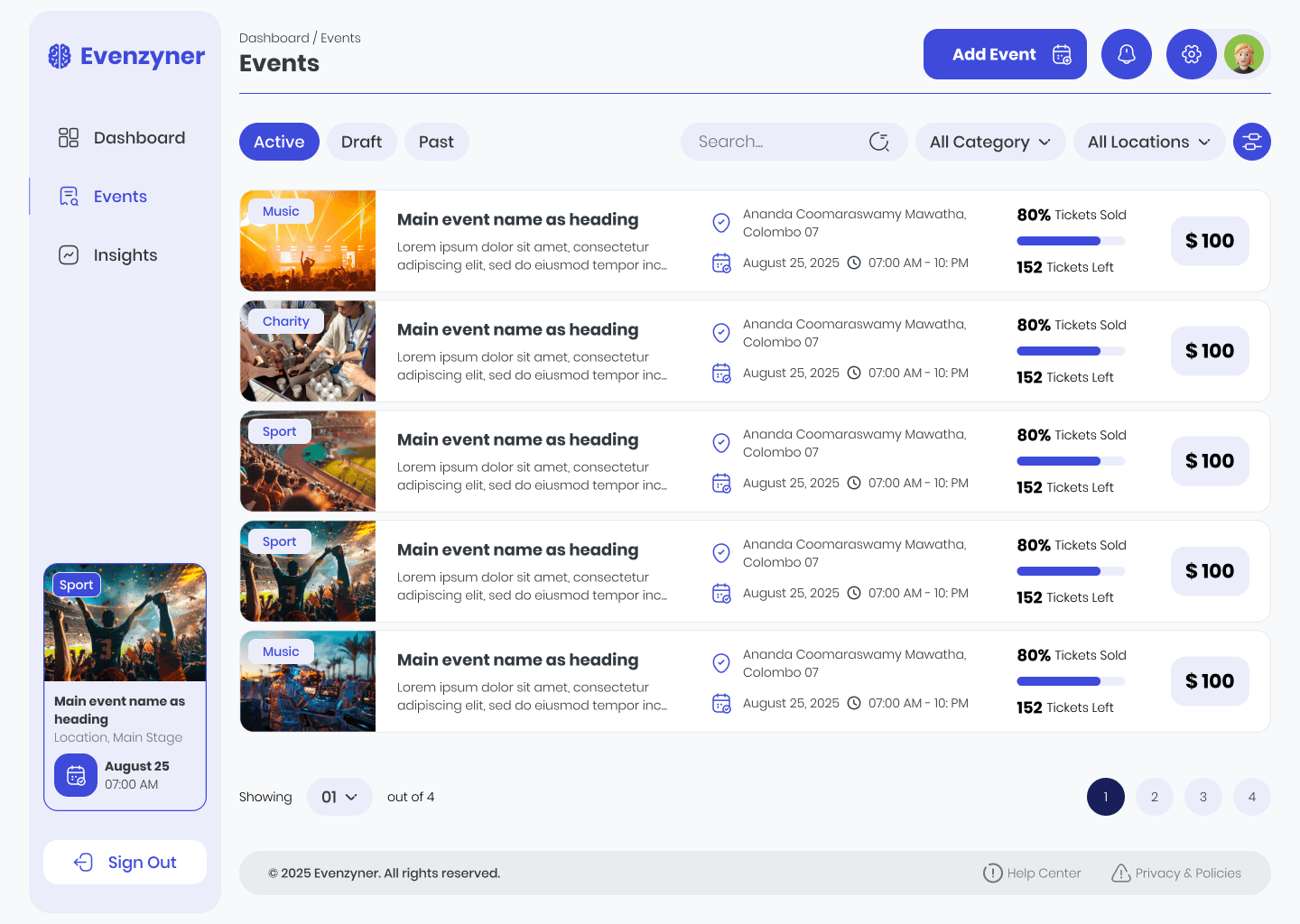
Eventzyner is a web-based dashboard that helps event organizers manage events, track bookings and ticket sales, monitor attendee insights, and make data-driven decisions. The dashboard provides an Overview (high-level metrics and notifications), Browse Events (discover & filter events), Event Details (bookings, revenue, seating), and Attendee Insights (demographics & engagement). The attached design shows the finished screens and visual system used across the product.
My role

My role

UX/UI Designer -end-to-end

(research, wireframes, visual design, prototypes, usability testing).

UX/UI Designer -end-to-end

(research, wireframes, visual design, prototypes, usability testing).

UX/UI Designer - end-to-end

(research, wireframes, visual design, prototypes, usability testing).

Timeframe

Timeframe

6 weeks (Discovery → Testing)

6 weeks (Discovery → Testing)

6 weeks (Discovery → Testing)

Industry

Industry

Event Management & Ticketing Platforms
Deliverables

Deliverables

User flows low-fi wireframes high-fi mockups reusable components interactive prototype

User flows low-fi wireframes high-fi mockups reusable components interactive prototype

User flows low-fi wireframes high-fi mockups reusable components interactive prototype

Tools

Tools

Figma, FigJam, Google Forms

Figma, FigJam, Google Forms

Figma, FigJam, Google Forms

Stack

Stack

Stack

Challenge

Event organizers often faced difficulties managing bookings and tracking attendee data because information was scattered across multiple tools. Existing platforms felt overwhelming, with cluttered dashboards and complicated navigation that discouraged non-technical users. Another key challenge was the lack of meaningful insights - organizers wanted to understand their attendees better but were limited to basic reports. The design challenge was to create a unified, intuitive dashboard that simplified navigation, made data more actionable, and provided a consistent design system that could scale with different types of events.

Results

The redesigned Eventzyner dashboard provided organizers with a streamlined hub where they could track bookings, ticket sales, and attendee demographics at a glance. By simplifying navigation and using clear visual charts, users were able to find key insights within two clicks. The introduction of a reusable design system not only ensured consistency but also reduced design iteration time by nearly 40%. Usability tests showed overwhelmingly positive feedback, with users highlighting how much easier it was to manage their events compared to other platforms. Eventzyner ultimately transformed event management into a more intuitive, data-driven, and engaging experience for organizers.
Process
Discovery: In the discovery phase, I explored the event management industry, studied existing platforms, and analyzed organizer workflows. This process revealed key gaps such as scattered data, cluttered dashboards, and limited attendee insights, which became the foundation for the project direction.


Empathize: To better understand user needs, I conducted interviews with event planners, organizers, and marketers. Their pain points—from juggling multiple tools to struggling with real-time insights—inspired the goal of creating a simpler, more intuitive dashboard experience.


Define: Through the findings, I defined the core problems: lack of unified booking management, poor navigation, and absence of actionable analytics. This helped me shape clear problem statements that guided the solution-building process.


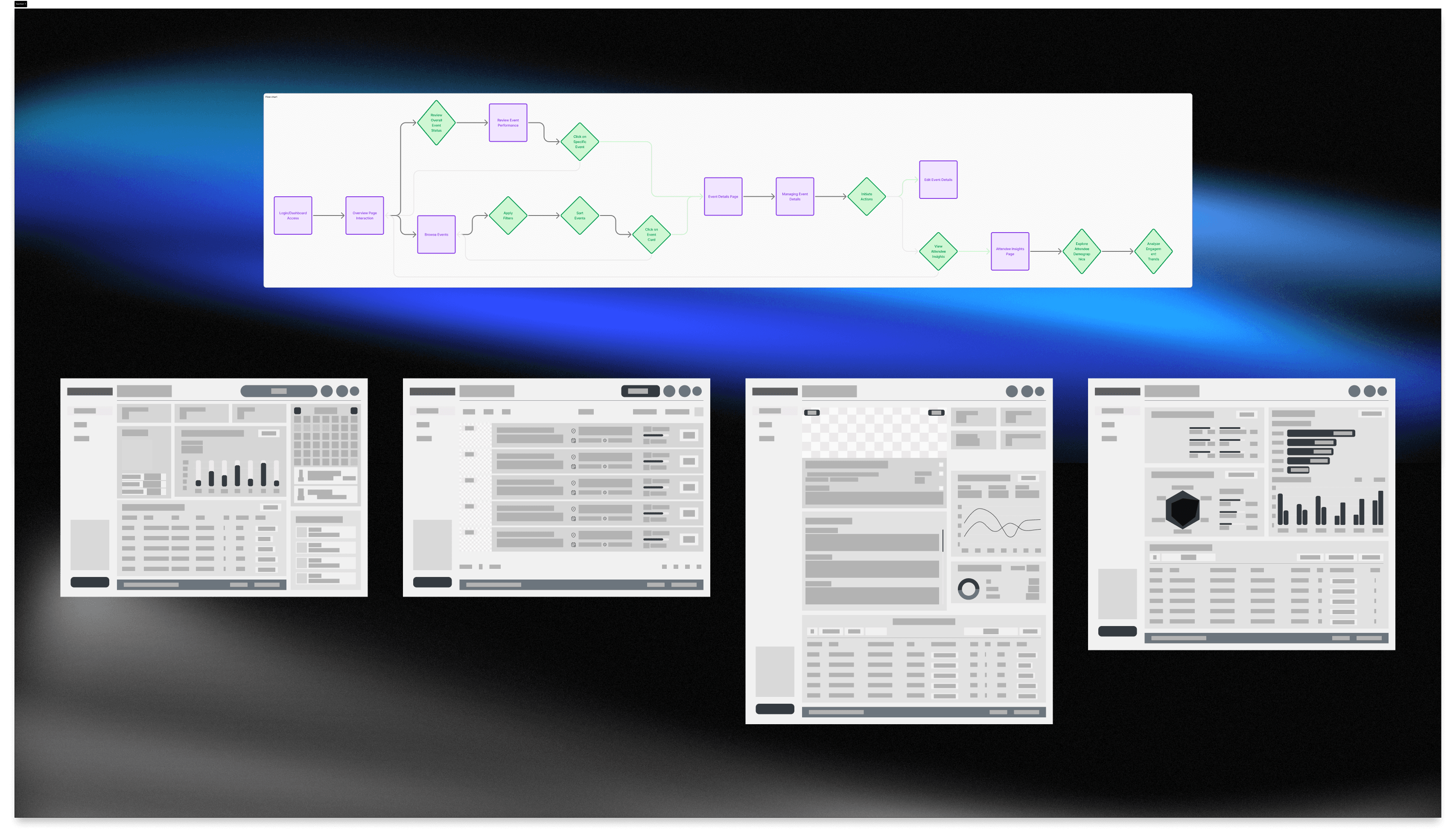
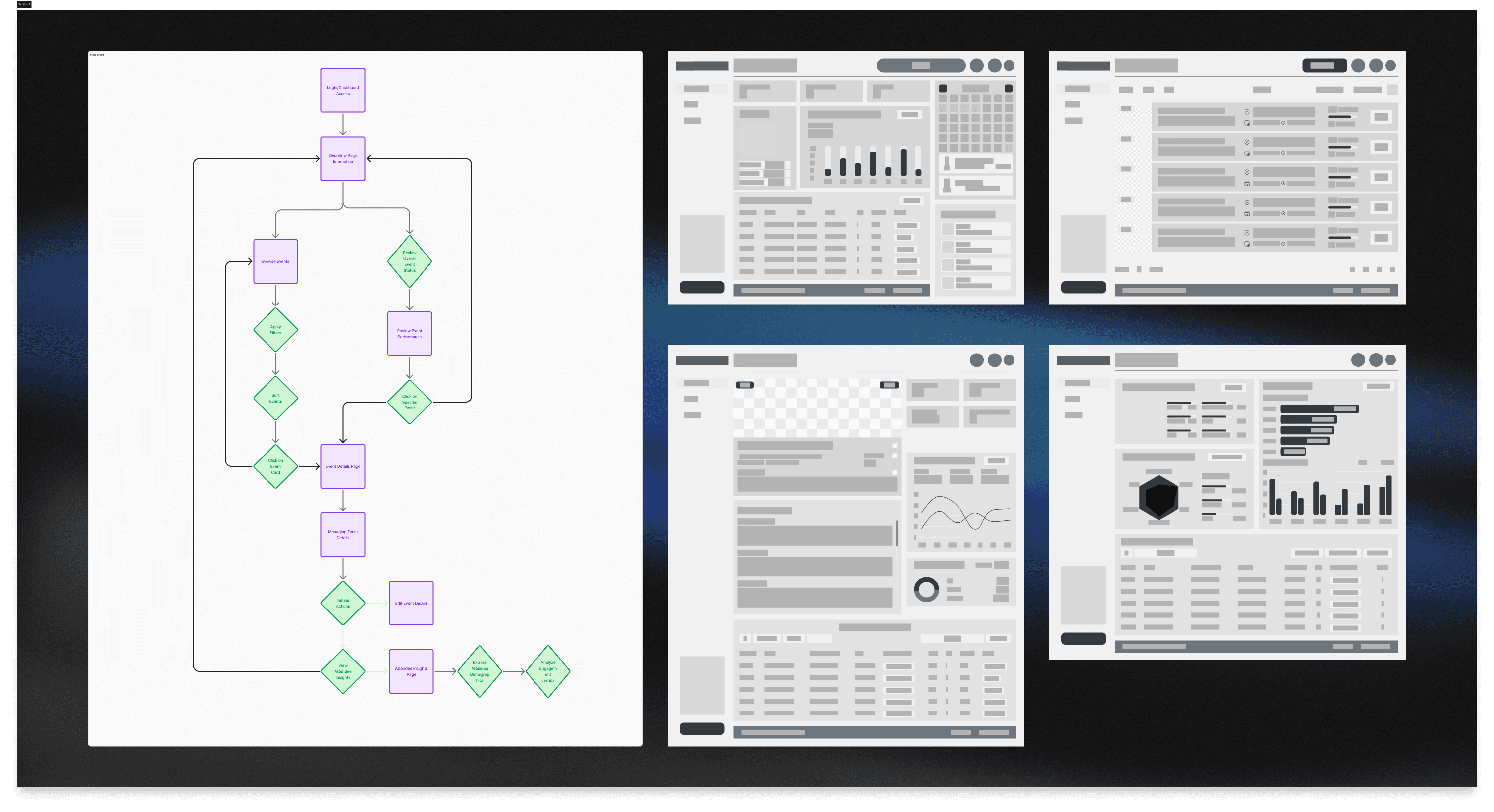
Ideate: During the ideation stage, I created wireframes and mapped user flows to test different approaches for presenting information clearly. I focused on features like event filtering, visual charts, and notifications to balance quick overviews with deeper insights.


Design: In the design phase, I built high-fidelity mockups using a clean visual language supported by a reusable component library (buttons, inputs, cards, and charts). I prioritized consistency, clarity, and data visualization to ensure the dashboard felt professional yet approachable.


Testing: For the testing phase, I ran usability sessions to validate navigation, readability, and ease of use. Feedback showed that users could access key information within two clicks, while visual insights made event decisions faster. Iterations were applied to polish the final solution.

Discovery: In the discovery phase, I explored the event management industry, studied existing platforms, and analyzed organizer workflows. This process revealed key gaps such as scattered data, cluttered dashboards, and limited attendee insights, which became the foundation for the project direction.


Empathize: To better understand user needs, I conducted interviews with event planners, organizers, and marketers. Their pain points—from juggling multiple tools to struggling with real-time insights—inspired the goal of creating a simpler, more intuitive dashboard experience.


Define: Through the findings, I defined the core problems: lack of unified booking management, poor navigation, and absence of actionable analytics. This helped me shape clear problem statements that guided the solution-building process.


Ideate: During the ideation stage, I created wireframes and mapped user flows to test different approaches for presenting information clearly. I focused on features like event filtering, visual charts, and notifications to balance quick overviews with deeper insights.


Design: In the design phase, I built high-fidelity mockups using a clean visual language supported by a reusable component library (buttons, inputs, cards, and charts). I prioritized consistency, clarity, and data visualization to ensure the dashboard felt professional yet approachable.


Testing: For the testing phase, I ran usability sessions to validate navigation, readability, and ease of use. Feedback showed that users could access key information within two clicks, while visual insights made event decisions faster. Iterations were applied to polish the final solution.

Discovery: In the discovery phase, I explored the event management industry, studied existing platforms, and analyzed organizer workflows. This process revealed key gaps such as scattered data, cluttered dashboards, and limited attendee insights, which became the foundation for the project direction.


Empathize: To better understand user needs, I conducted interviews with event planners, organizers, and marketers. Their pain points—from juggling multiple tools to struggling with real-time insights—inspired the goal of creating a simpler, more intuitive dashboard experience.


Define: Through the findings, I defined the core problems: lack of unified booking management, poor navigation, and absence of actionable analytics. This helped me shape clear problem statements that guided the solution-building process.


Ideate: During the ideation stage, I created wireframes and mapped user flows to test different approaches for presenting information clearly. I focused on features like event filtering, visual charts, and notifications to balance quick overviews with deeper insights.


Design: In the design phase, I built high-fidelity mockups using a clean visual language supported by a reusable component library (buttons, inputs, cards, and charts). I prioritized consistency, clarity, and data visualization to ensure the dashboard felt professional yet approachable.


Testing: For the testing phase, I ran usability sessions to validate navigation, readability, and ease of use. Feedback showed that users could access key information within two clicks, while visual insights made event decisions faster. Iterations were applied to polish the final solution.

Conclusion

Eventzyner was designed to solve real challenges faced by event organizers-bringing clarity, simplicity, and data-driven insights into one unified dashboard. By following a structured design process, I transformed scattered workflows into an intuitive, visual, and consistent experience. The project not only improved usability but also demonstrated how a thoughtful design system can streamline event management while empowering organizers to make better decisions.

Create a free website with Framer, the website builder loved by startups, designers and agencies.